Traefik Enterprise Edition & Maesh


How to use these slides?
Browse the slides: Use the arrows
Change chapter: Left/Right arrows
Next or previous slide: Top and bottom arrows
Overview of the slides: keyboard’s shortcut "o"
Speaker mode (and notes): keyboard’s shortcut "s"
Whoami 1/2
Manuel Zapf
🇩🇪 Træfik's Solution Architect 🔨 @ Containous

Whoami 2/2
Adrien Martinet
🇫🇷 Sales @ Containous

Containous
We Believe in Open Source
We Deliver Traefik and Traefik Enterprise Edition
Commercial Support
30 people distributed, 90% tech

Why Traefik?

Why, Mr Anderson?
Evolution of Software Design

The Premise of Microservices…

…and What Happens

Where’s My Service?

Tools of the Trade














What If I Told You?

That You Don’t Have to Write This Configuration File…?
Here Comes Traefik!
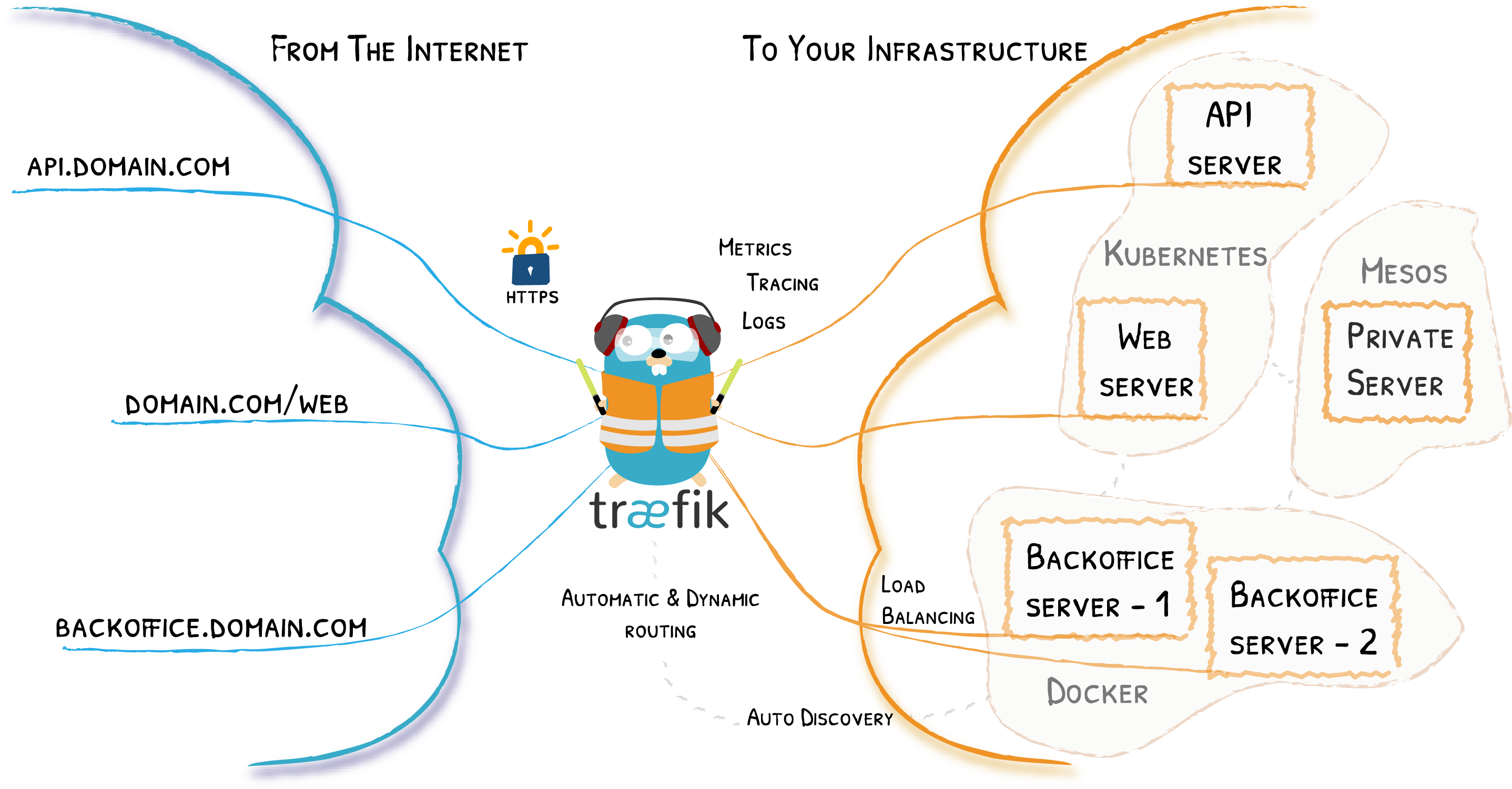
Traefik Project
MIT License
Written in Go
24,000+ ⭐ 1.3B+ ⬇️ 400+ 👷
Created in 2015, 4Y 🎂
Current stable branch:
v2.0
The Herd
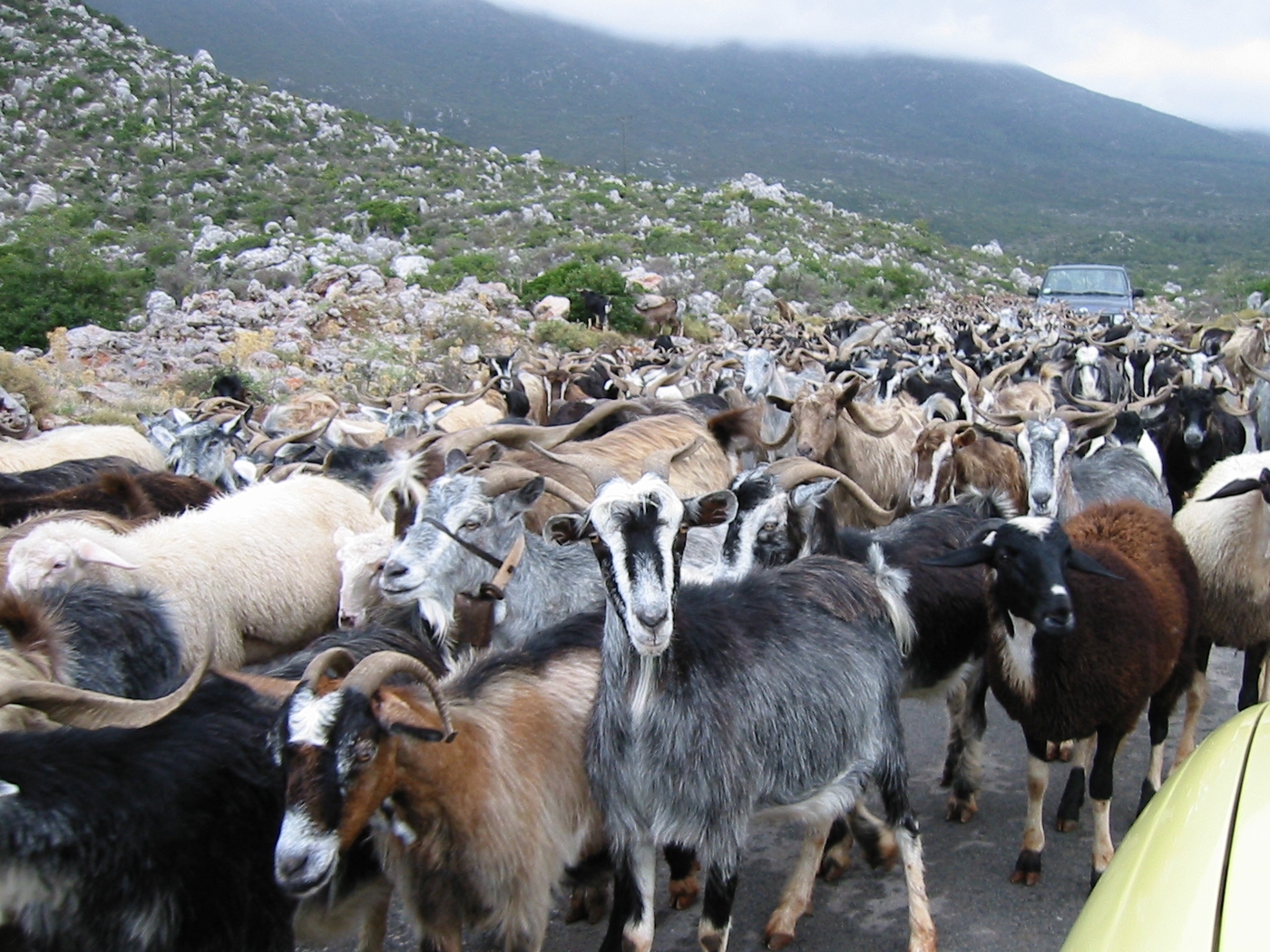
Traefik comes in Herd

Value Proposition
Community Driven Edge Router
Cloud Native & Agnostic
Configuration Auto-Discovery
Native Observability & Tracing
Deploy Easily and Operate at Scale
Security : Encryption & Separation of Concern
High Availability

As Simple As Traefik
Install it:
# Cluster Installation
traefikeectl install \
    --licensekey="SuperSecretLicence" \
    --dashboard \
    --kubernetes # Or --swarm
Configure it:
# Routing Configuration, same as Traefik's
traefikeectl deploy \
    --acme.email=ssl-admin@mycompany.org
    --acme.tlsChallenge
    ...
Free Trial
HTTPS & Let’s encrypt

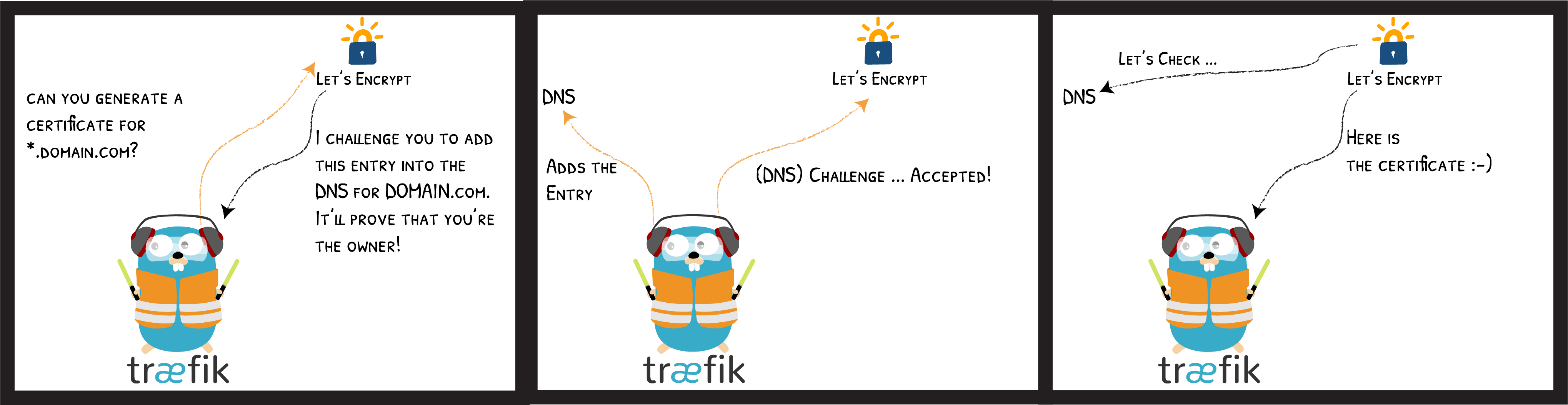
Let’s encrypt DNS Challenge
Let’s encrypt HTTP Challenge

Let’s encrypt TLS Challenge

Show Me the Configuration!
Traefik with 🐳
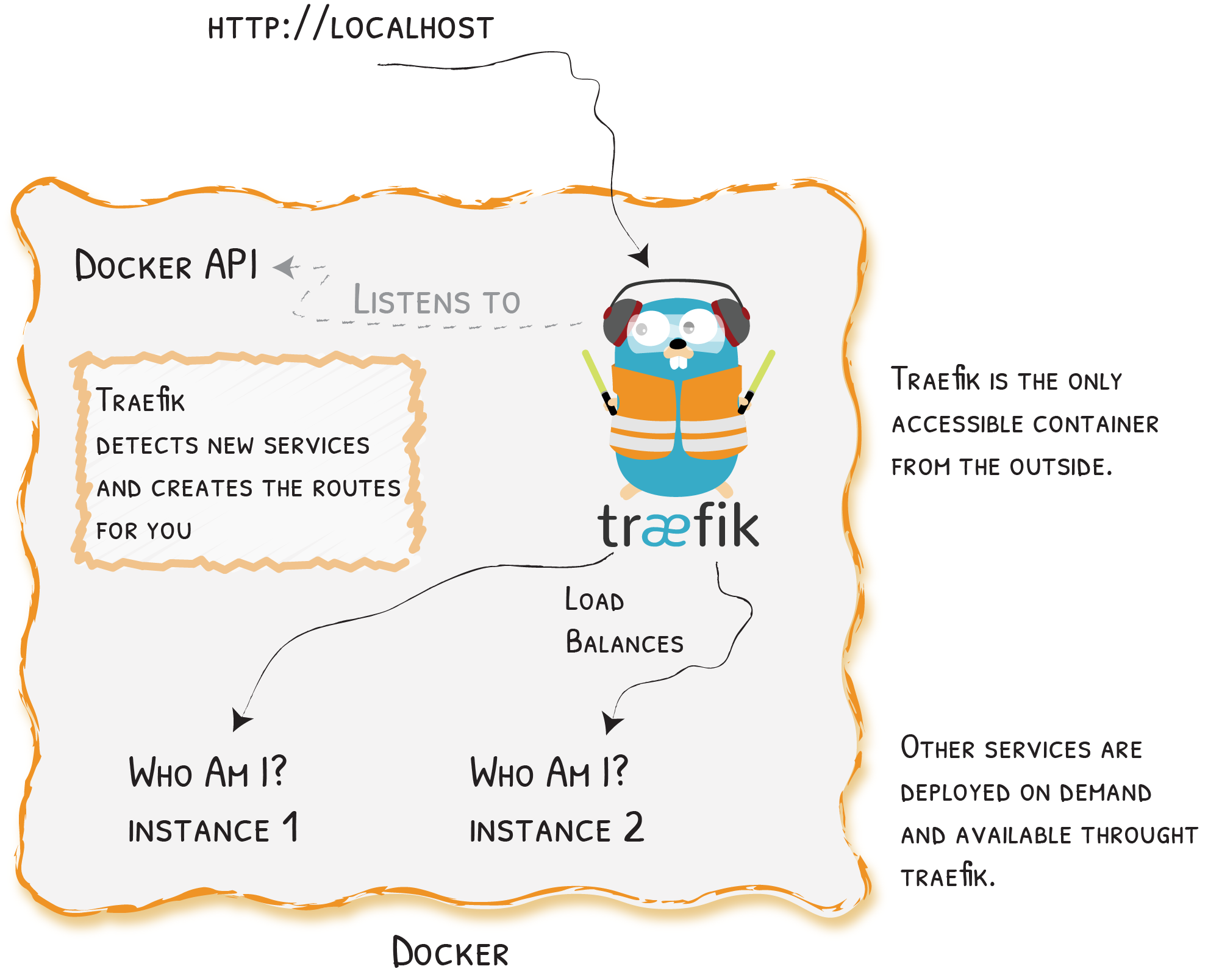
Example With 🐳
version: '3'

services:
  reverse-proxy:
    image: traefik:v2.0
    command: --providers.docker.endpoint="tcp://proxy-docker.svc.local:2376"
    ports:
      - "80:80"

  corporate-webapp:
    image: company/corporate-webapp:1.2.3
    labels:
      - "traefik.http.routers.webapp.rule=Host(`company.com`)"

  admin-webapp:
    image: company/admin-webapp:15.2.2
    labels:
      - "traefik.http.routers.admin-webapp.rule=Host(`company.com`) && PathPrefix(`/admin`)"
      - "traefik.http.services.admin-svc.loadbalancer.server.port=9999"
Traefik With ⎈
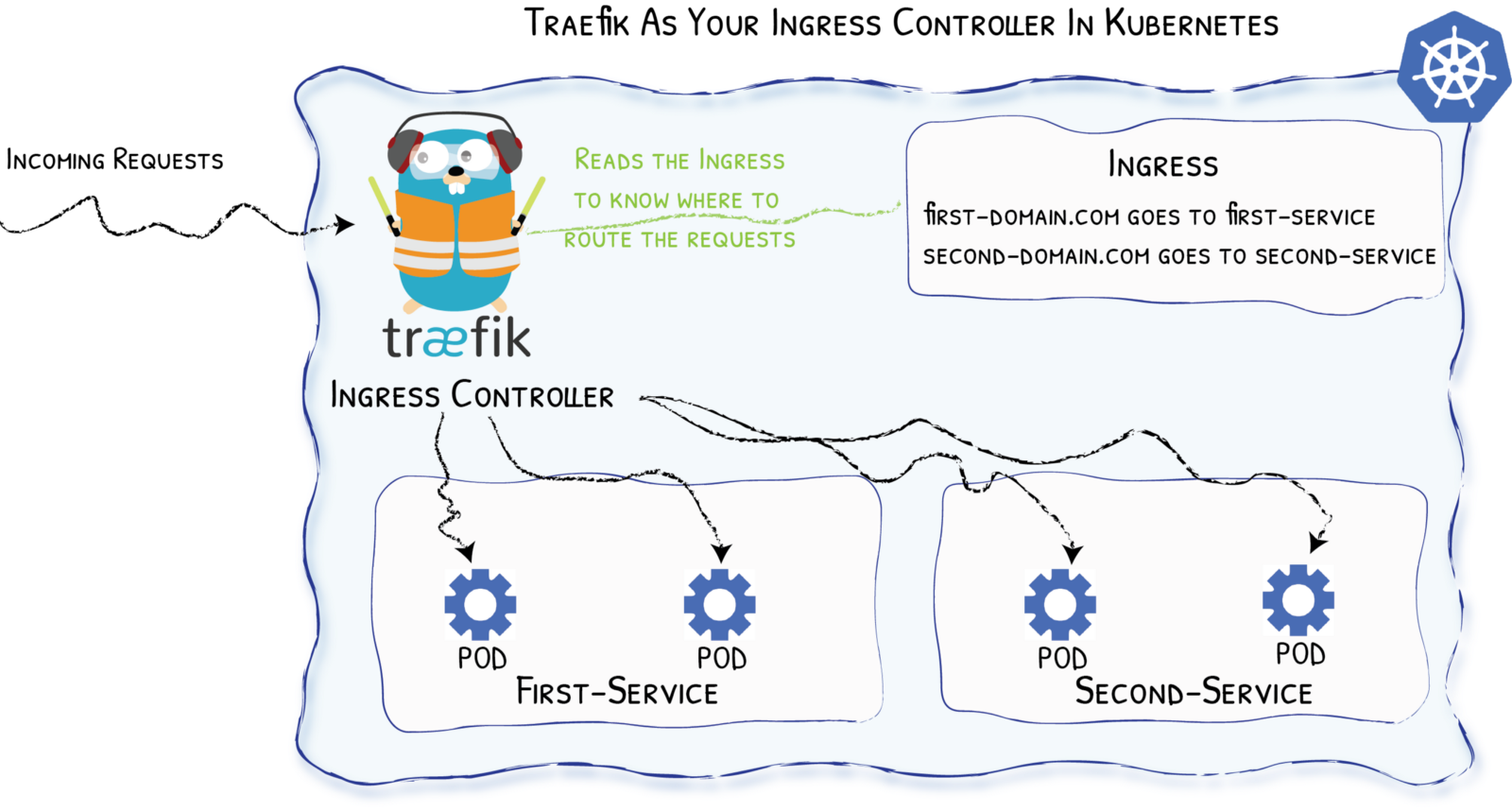
Ingress Example with ⎈
apiVersion: networking.k8s.io/v1beta1
kind: Ingress
metadata:
  name: corporate-webapp
  annotations:
    kubernetes.io/ingress.class: 'traefik'
spec:
  rules:
  - host: localhost
    http:
      paths:
      - backend:
          serviceName: corporate-webapp
servicePort: 80But…
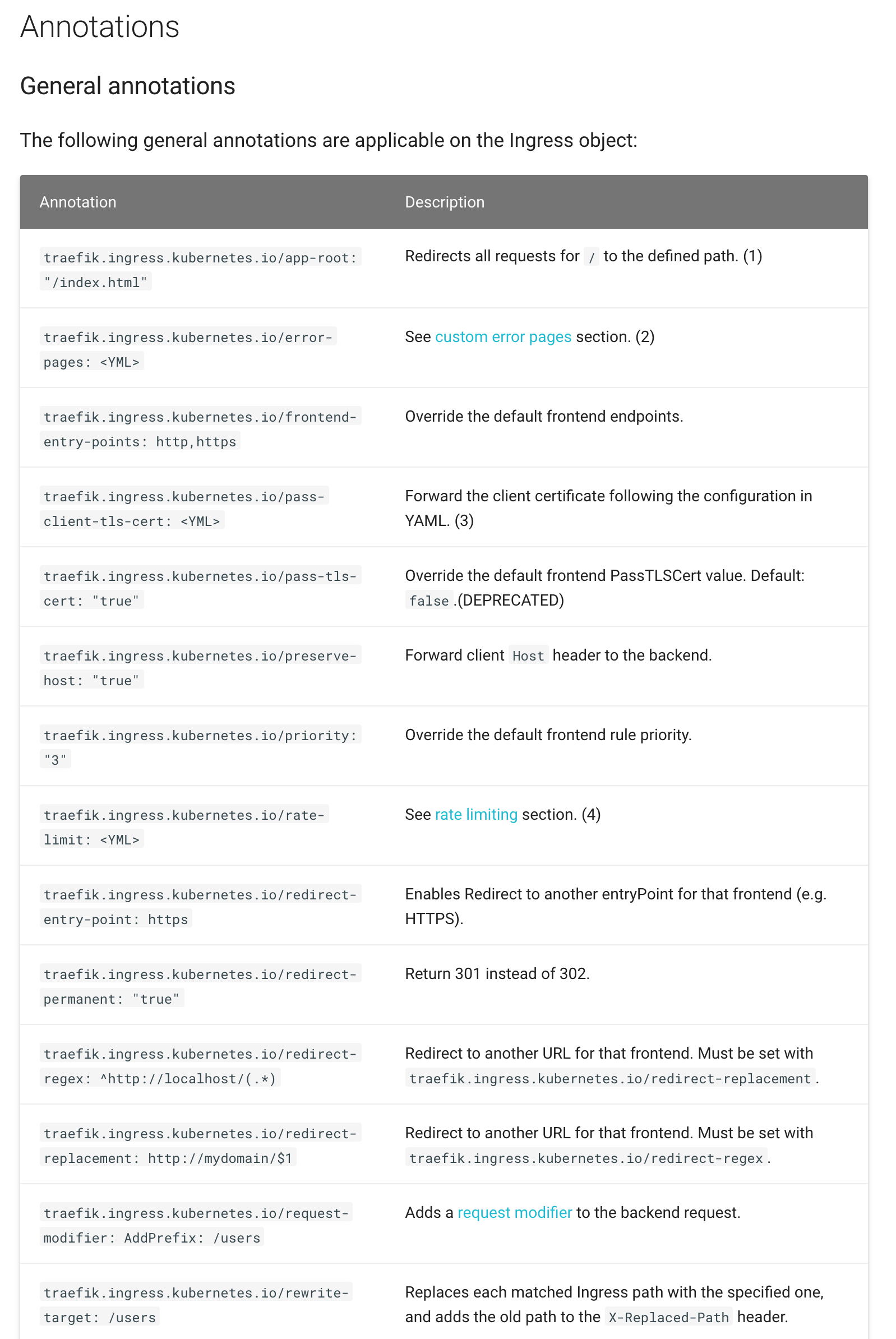
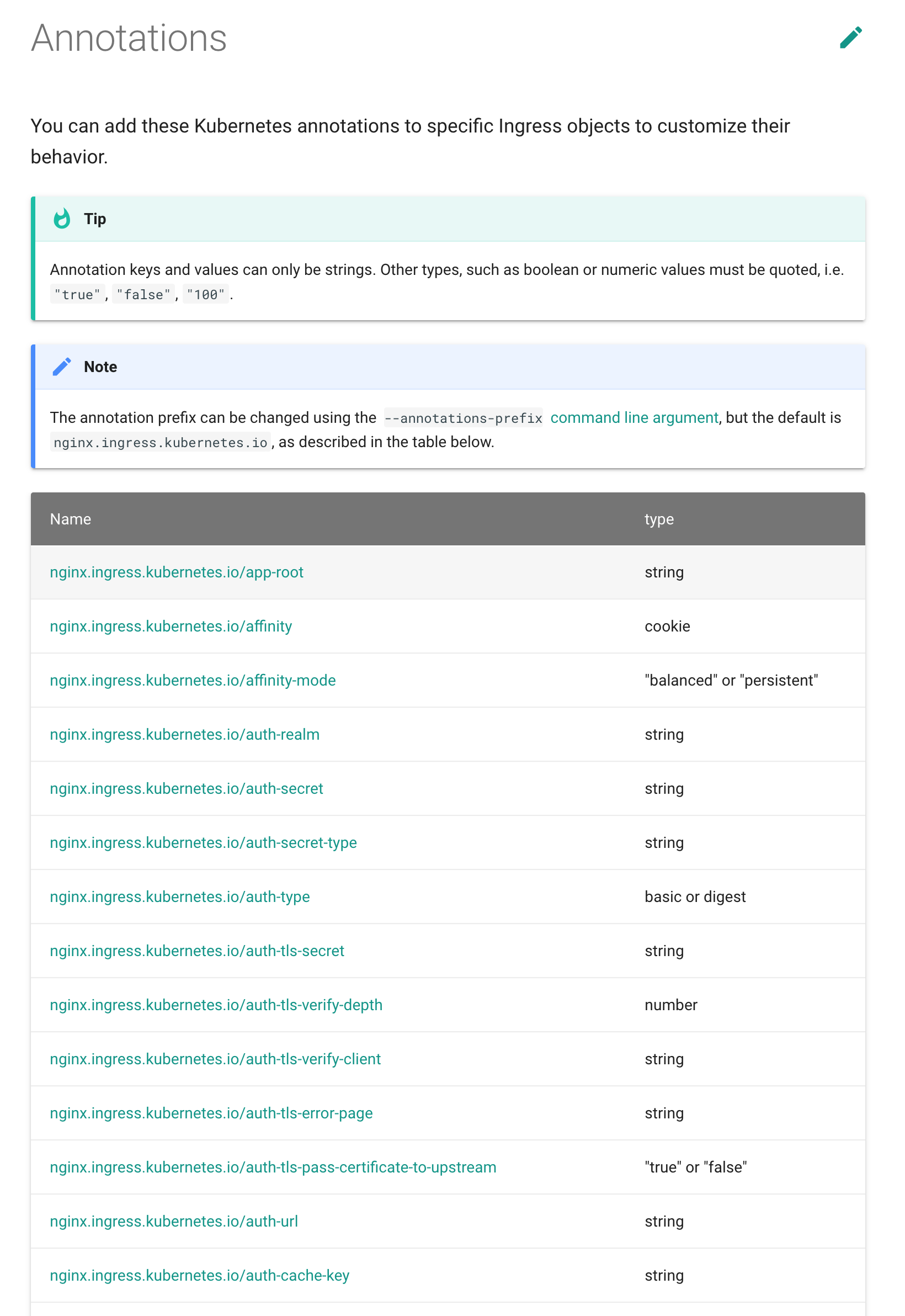
⎈ CRD - Custom Resources Definition
# File "webapp.yaml"
apiVersion: traefik.containo.us/v1alpha1
kind: IngressRoute
metadata:
  name: simpleingressroute
spec:
  entryPoints:
    - web
  routes:
  - match: Host(`localhost`) && PathPrefix(`/whoami`)
    kind: Rule
    services:
    - name: webapp
      port: 80
$ kubectl apply -f webapp.yaml
$ kubectl get ingressroute⎈ & TCP (with CRD)
apiVersion: traefik.containo.us/v1alpha1
kind: IngressRouteTCP
metadata:
  name: ingressroutetcpmongo.crd
spec:
  entryPoints:
    - mongotcp
  routes:
  - match: HostSNI(`mongo-prod`)
    services:
    - name: mongo-prod
      port: 27017
Canary releases
http:
  services:
    canary:
      weighted:
        services:
        - name: appv1
          weight: 3 # 75%
        - name: appv2
          weight: 1 # 25%
    appv1:
      loadBalancer:
        servers:
        - url: "http://private-ip-server-1/"
    appv2:
      loadBalancer:
        servers:
        - url: "http://private-ip-server-2/"
East / West Traefik

Say Hello to Maesh
What is Maesh?
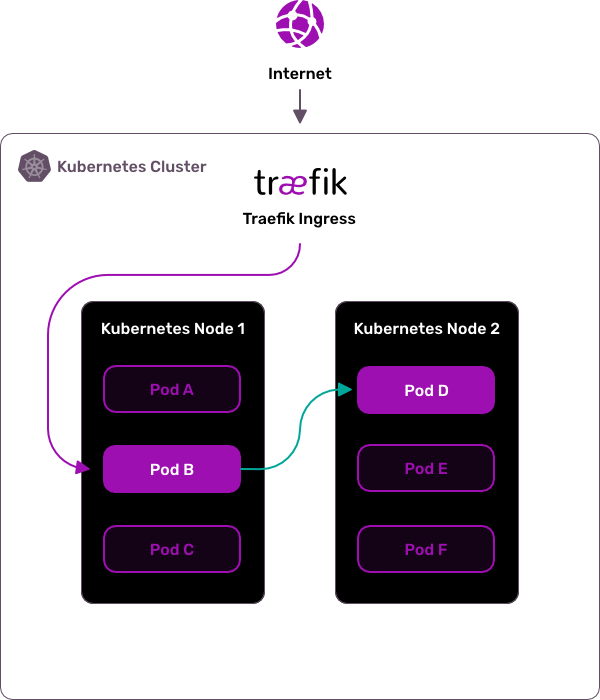
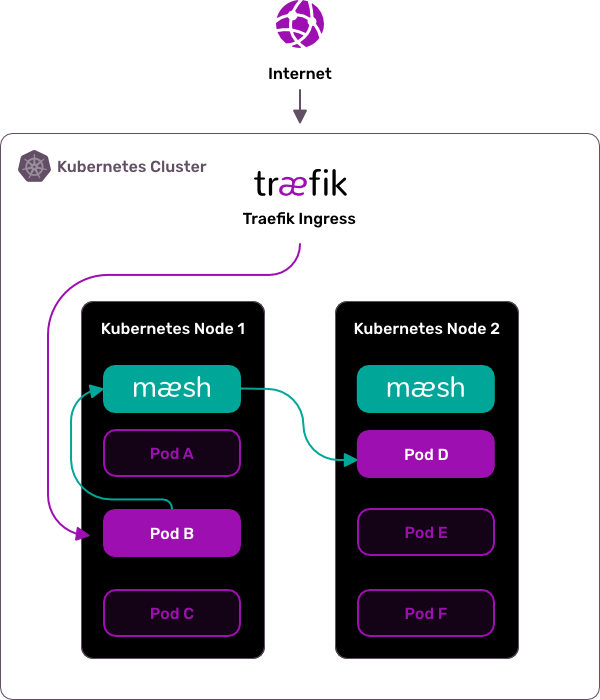
Maesh is a lightweight, easy to configure, and non-invasive service mesh that allows visibility and management of the traffic flows inside any Kubernetes cluster.
Maesh Architecture
More on Maesh
Built on top of Traefik,
SMI (Service Mesh Interface specification) compliant,
Opt-in by default.
Demo

That’s All Folks!
We have
stickers!
We are hiring!
docker run -it containous/jobsThank you!
